Best Free AI Tools for Students in 2026 (Complete Guide)
Artificial Intelligence (AI) has transformed the way students learn, research, write assignments, prepare presentations, and manage their academic work. What once required hours of manual effort can now be completed much faster with the help of AI-powered tools. From generating study notes to solving coding problems and improving writing quality, AI has become an essential companion for students across schools, colleges, and universities.
However, not every AI tool is worth using. Some offer limited features, while others require expensive subscriptions. The good news is that many powerful AI tools provide generous free plans that are more than enough for everyday academic needs.
In this guide, you’ll discover the best free AI tools for students in 2026, along with their key features, advantages, limitations, and the types of students who will benefit from each one.
Why Students Should Use AI Tools
Modern education requires students to handle multiple tasks every day. Assignments, projects, presentations, research, online classes, coding exercises, and exam preparation can quickly become overwhelming.
AI tools simplify these tasks by automating repetitive work and providing instant assistance.
Instead of spending hours searching for information, students can use AI to understand concepts faster, organize ideas, and improve their writing.
When used responsibly, AI doesn’t replace learning—it enhances it.
Benefits of Using AI for Education
Here are some of the biggest advantages: Best Free AI Tools for Students
- Save hours during research.
- Improve grammar and writing quality.
- Generate study notes quickly.
- Solve programming problems.
- Create professional presentations.
- Translate languages instantly.
- Organize study schedules.
- Improve productivity.
- Brainstorm essay ideas.
- Learn difficult concepts in simple language.
These benefits make AI one of the most valuable learning companions in today’s digital world.
How We Selected These AI Tools: Best Free AI Tools for Students
Before creating this list, we considered several important factors:
- Free plan availability
- Ease of use
- Accuracy
- Productivity features
- Educational usefulness
- Privacy
- Popularity
- Regular updates
- Cross-platform support
- Overall student value
1. ChatGPT
ChatGPT is one of the most popular AI assistants available today. It helps students understand difficult topics, explain mathematical concepts, generate ideas for essays, summarize chapters, practice interview questions, and even write computer code.
Unlike a traditional search engine, ChatGPT explains concepts in a conversational way, making learning easier.
Best For
- Homework
- Assignments
- Essay Writing
- Coding
- Brainstorming
- Research
- Language Learning
Key Features of Best Free AI Tools for Students
- Natural conversations
- Step-by-step explanations
- Coding assistance
- Writing support
- Translation
- Study planning
- Creative writing
Advantages of Best Free AI Tools for Students
- Easy to use
- Beginner friendly
- Supports multiple subjects
- Excellent explanations
- Free version available
Limitations of Best Free AI Tools for Students
- Some advanced models require a paid subscription.
- Users should verify facts before submitting academic work.
2. Google Gemini
Google Gemini is Google’s AI assistant designed to help users research topics, summarize information, generate ideas, and integrate with Google Workspace applications.
Students who already use Google Docs, Gmail, Google Drive, and Google Classroom may find Gemini especially useful.
Best For
- Research
- Google Docs
- Academic Writing
- Summaries
- Brainstorming
Advantages of Best Free AI Tools for Students
- Fast responses
- Google ecosystem integration
- Good reasoning
- Supports images
- Simple interface
Limitations of Best Free AI Tools for Students
- Premium features require a subscription.
3. Microsoft Copilot
Microsoft Copilot is a productivity-focused AI assistant integrated into Microsoft’s ecosystem.
It works particularly well with Microsoft Word, Excel, PowerPoint, and Edge Browser.
Students can create presentations, summarize reports, analyze spreadsheets, and draft documents more efficiently.
Best For
- Office documents
- Presentations
- Excel
- Productivity
Advantages of Best Free AI Tools for Students
- Excellent Office integration
- Great presentation creation
- Reliable writing assistance
Limitations of Best Free AI Tools for Students
- Some advanced features are limited to paid Microsoft plans.
4. Grammarly
Writing is an essential part of education. Whether you’re preparing an essay, research paper, email, or scholarship application, grammar mistakes can reduce the quality of your work.
Grammarly helps students write with greater confidence by identifying grammar errors, spelling mistakes, punctuation issues, and unclear sentences.
Best For
- Essays
- Reports
- Emails
- Research papers
- Resume writing
Advantages of Best Free AI Tools for Students
- Real-time suggestions
- Browser extension
- Easy interface
- Helpful explanations
Limitations of Best Free AI Tools for Students
- Premium plan unlocks advanced writing improvements.
5. Canva AI
Creating visually attractive presentations can take hours.
Canva AI simplifies the process by helping students generate presentations, posters, infographics, resumes, certificates, and social media graphics within minutes.
Its drag-and-drop interface makes designing easy, even for beginners.
Best For
- Presentations
- Posters
- Infographics
- College projects
Advantages of Best Free AI Tools for Students
- Thousands of templates
- Beginner friendly
- Free plan
- Team collaboration
Limitations of Best Free AI Tools for Students
- Some premium templates require Canva Pro.
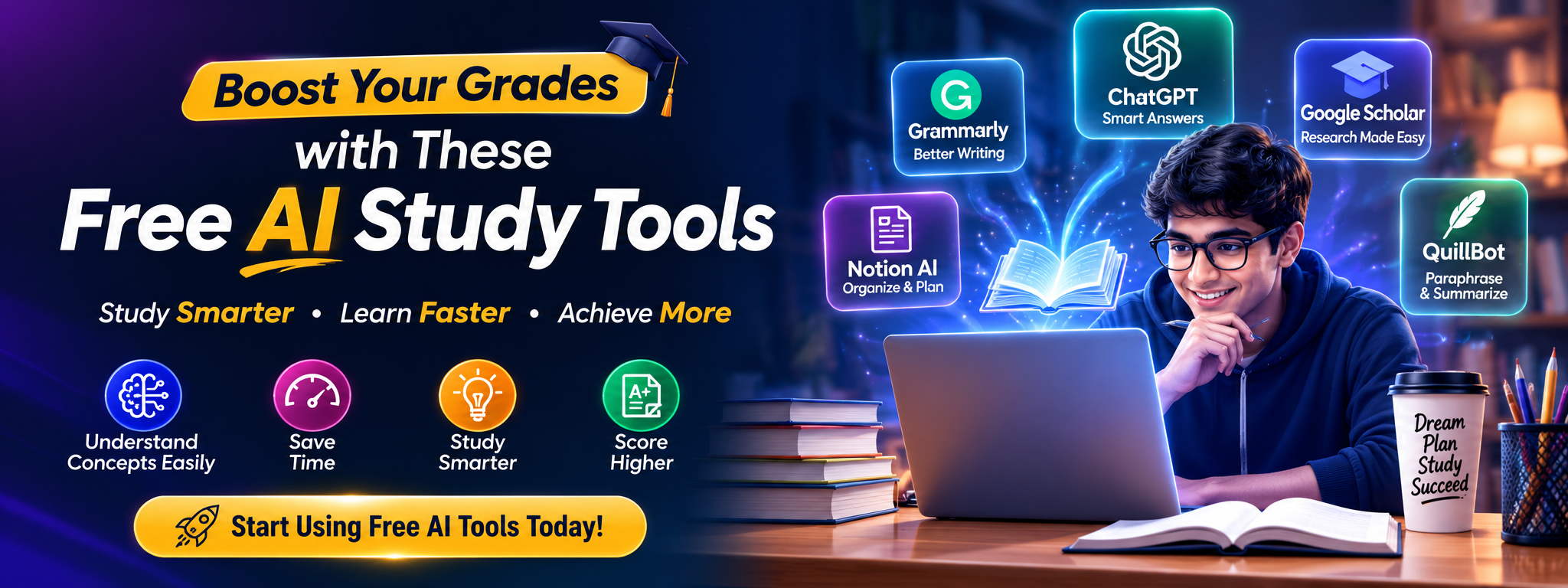
6. Notion AI
Students often struggle to organize notes, assignments, and project deadlines.
Notion AI combines note-taking with artificial intelligence to summarize notes, generate action items, rewrite content, and improve productivity.
Best For
- Notes
- Project management
- Study planning
- Task organization
Advantages
- Clean interface
- Powerful workspace
- AI summaries
- Productivity focused
Limitations of Best Free AI Tools for Students
- AI usage limits apply on free accounts.
7. Perplexity AI
Perplexity AI is an AI-powered search assistant that focuses on providing concise answers with source references.
This makes it particularly useful for research-oriented students who want to verify information quickly.
Best For
- Research
- Fact checking
- Academic references
Advantages of Best Free AI Tools for Students
- Source citations
- Fast answers
- Easy interface
Limitations of Best Free AI Tools for Students
- Always cross-check important academic references.
8. Claude AI
Claude AI is one of the best AI assistants for students who regularly write long assignments, research papers, case studies, and academic reports. Developed with a strong focus on natural language understanding, Claude excels at explaining complex topics in a simple and organized manner.
Many students prefer Claude because its responses often feel structured and easy to read. Whether you need help brainstorming ideas, improving your writing, or understanding difficult concepts, Claude can be a valuable study companion.
Best For
- Research papers
- Long-form writing
- Essay drafting
- Report writing
- Brainstorming
Key Features
- Natural writing style
- Long context support
- Clear explanations
- Excellent summarization
- Easy-to-understand responses
Pros of Best Free AI Tools for Students
- Beginner friendly
- High-quality writing assistance
- Great for academic projects
- Free version available
Cons
- Some advanced capabilities require a paid plan.
- Always verify facts before using them in academic submissions.
9. GitHub Copilot
If you’re a computer science student or learning programming, GitHub Copilot can dramatically improve your coding productivity.
Instead of searching online for syntax or debugging every small error, Copilot suggests code while you’re typing inside your code editor.
It supports multiple programming languages including:
- Python
- Java
- JavaScript
- C++
- PHP
- HTML
- CSS
- SQL
Best For
- Programming students
- Software development
- Coding assignments
- Learning new languages
Pros
- Faster coding
- Intelligent code suggestions
- Error reduction
- Productivity improvement
Cons
- Should not replace learning programming fundamentals.
- Students should understand the generated code instead of blindly copying it.
10. Gamma AI
Creating presentations is one of the most time-consuming tasks for students.
Gamma AI allows users to create beautiful presentations simply by describing the topic.
Instead of spending hours designing slides manually, students can generate professional-looking presentations within minutes.
Best For
- College presentations
- Seminar slides
- Project reports
- Business presentations
Pros
- Modern templates
- AI-generated slides
- Fast editing
- Easy sharing
Cons
- Premium templates require subscription.
11. ElevenLabs
Sometimes students learn better by listening instead of reading.
ElevenLabs converts text into realistic AI-generated speech, making it useful for revision, language learning, and accessibility.
Best For
- Listening to notes
- Language learning
- Accessibility
- Audio learning
Pros
- Natural voice quality
- Multiple languages
- High-quality audio
Cons
- Free plan includes usage limits.
12. Otter.ai
Recording lectures is common, but taking detailed notes during class can be difficult.
Otter.ai automatically transcribes lectures and meetings into searchable text, helping students review important information later.
Best For
- Lecture notes
- Online classes
- Group discussions
- Interviews
Pros
- Automatic transcription
- Speaker identification
- Easy note organization
Cons
- Accuracy depends on audio quality.
AI Tools Comparison Table
| Tool | Best For | Free Version | Ease of Use |
|---|---|---|---|
| ChatGPT | Homework & Learning | ✅ Yes | ⭐⭐⭐⭐⭐ |
| Google Gemini | Research | ✅ Yes | ⭐⭐⭐⭐⭐ |
| Microsoft Copilot | Productivity | ✅ Yes | ⭐⭐⭐⭐☆ |
| Grammarly | Writing | ✅ Yes | ⭐⭐⭐⭐⭐ |
| Canva AI | Presentations | ✅ Yes | ⭐⭐⭐⭐⭐ |
| Notion AI | Notes | Limited | ⭐⭐⭐⭐☆ |
| Perplexity AI | Research | ✅ Yes | ⭐⭐⭐⭐⭐ |
| Claude AI | Writing | ✅ Yes | ⭐⭐⭐⭐⭐ |
| GitHub Copilot | Coding | Limited | ⭐⭐⭐⭐☆ |
| Gamma AI | Presentations | ✅ Yes | ⭐⭐⭐⭐⭐ |
| ElevenLabs | Text to Speech | Limited | ⭐⭐⭐⭐☆ |
| Otter.ai | Lecture Notes | Limited | ⭐⭐⭐⭐☆ |
Free vs Paid AI Tools
Many students wonder whether the free versions are enough.
For most academic tasks, the answer is yes.
A free plan is usually sufficient for:
- Homework
- Assignments
- Essay drafting
- Presentation creation
- Grammar checking
- Study planning
- Research assistance
- Basic coding help
Paid plans become useful if you:
- Use AI daily for several hours.
- Need advanced AI models.
- Generate large amounts of content.
- Work on professional or research-intensive projects.
If you’re just starting, begin with the free versions and upgrade only if your workload demands additional features.
How to Choose the Right AI Tool
Selecting the right AI tool depends on your specific needs.
- For writing assignments: Grammarly or Claude AI.
- For research: Perplexity AI or Google Gemini.
- For coding: GitHub Copilot.
- For presentations: Canva AI or Gamma AI.
- For note-taking: Notion AI or Otter.ai.
- For general learning: ChatGPT.
Instead of installing every AI tool, choose two or three that fit your workflow. This keeps your study process simple and efficient.
Best Practices for Using AI Responsibly
AI can improve productivity, but it should not replace critical thinking or independent learning.
Keep these best practices in mind:
- Use AI to understand concepts, not to cheat.
- Verify important facts from reliable sources.
- Rewrite AI-generated text in your own words when required.
- Cite sources appropriately in academic work.
- Protect your privacy by avoiding the upload of sensitive personal information.
- Continue developing your own problem-solving and writing skills.
Using AI ethically helps you learn more effectively and maintains academic integrity.
Frequently Asked Questions
Are AI tools free for students?
Yes. Most popular AI tools offer free versions that are suitable for everyday academic tasks.
Which AI tool is best for homework?
ChatGPT is one of the most versatile options for homework assistance, but students should verify answers and understand the concepts rather than copying responses.
Can AI improve my grades?
AI can help you study more efficiently, organize your work, and improve writing quality. Your grades will still depend on your understanding, effort, and teacher’s evaluation.
Which AI tool is best for coding?
GitHub Copilot is an excellent choice for programming students, while ChatGPT can also explain coding concepts and debug simple problems.
Is it safe to use AI for education?
Yes, provided you use reputable services, avoid sharing sensitive information, and verify important facts before relying on them.
Final Verdict
Artificial Intelligence is becoming an essential part of modern education. When used responsibly, AI tools can help students save time, improve productivity, strengthen writing, prepare presentations, conduct research, and learn more effectively.
For most students, a combination of ChatGPT, Google Gemini, Grammarly, Canva AI, and Perplexity AI covers the majority of academic needs. Programming students can benefit from GitHub Copilot, while those who frequently create presentations or organize notes may find Gamma AI and Notion AI particularly valuable.
Rather than replacing learning, AI should be viewed as a powerful assistant that supports your educational journey. Choose the tools that match your goals, use them ethically, and continue building your own skills alongside technology.
25 Best ChatGPT Prompts for Bloggers to Write Faster and Rank Higher (2026)
ChatGPT vs Google Gemini vs Claude: Which AI Assistant Is Best in 2026?

Best AI Side Hustles in 2026 | 20 Profitable AI Income Ideas

15 Proven Ways to Make Money with AI in 2026

Best Free Android Games in 2026: 25 Must-Play Mobile Games for Every Gamer

Best Free PC Games in 2026: 20 Must-Play Games You Can Download Today

Vivo S2 5G Review: Full Specifications, Expected Price, Features & Should You Buy? (2026)