ChatGPT vs Google Gemini vs Claude: Which AI Assistant Is Best in 2026?
Artificial Intelligence assistants have become essential tools for students, freelancers, business owners, developers, marketers, and content creators. Whether you’re writing articles, analyzing data, brainstorming ideas, coding software, or planning projects, today’s AI assistants can significantly improve productivity.
Among the most popular options are ChatGPT, Google Gemini, and Claude. Each offers powerful capabilities, but they aren’t designed for exactly the same users or workflows.
If you’re wondering which AI assistant deserves your time—or your subscription—this guide compares them across the features that matter most.
Instead of declaring one universal winner, we’ll look at where each assistant performs best so you can choose the one that fits your needs.
Quick Answer
ChatGPT is an excellent all-around AI assistant for writing, coding, creativity, business, and productivity. Google Gemini integrates naturally with Google’s ecosystem and is particularly useful for users who rely on Google Workspace. Claude is well known for handling long documents, thoughtful writing, and detailed analysis. The best choice depends on your workflow, priorities, and preferred ecosystem.
Why Compare AI Assistants?
Modern AI assistants can help with:
- Writing articles
- Coding
- Research
- Brainstorming
- Marketing
- Education
- Business planning
- Data analysis
- Document summarization
- Customer support
However, each assistant has different strengths, limitations, integrations, and user experiences.
Choosing the right tool can save time and improve the quality of your work.
Overview of ChatGPT
ChatGPT has become one of the most widely used AI assistants because of its versatility.
It performs well across many tasks, including:
- Content writing
- SEO planning
- Programming
- Business strategy
- Marketing
- Creative writing
- Learning new subjects
- Brainstorming
- Productivity workflows
Its broad capabilities make it suitable for both beginners and experienced professionals.
Overview of Google Gemini
Google Gemini is closely connected with Google’s ecosystem.
It can be especially helpful for people who regularly use:
- Google Search
- Gmail
- Google Docs
- Google Sheets
- Google Drive
- Google Workspace
This integration can make it convenient for users who already manage much of their work within Google’s products.
Overview of Claude
Claude is designed to support thoughtful conversations, document analysis, and detailed writing.
Many users appreciate it for tasks such as:
- Reviewing lengthy documents
- Summarizing reports
- Editing writing
- Brainstorming ideas
- Research assistance
- Long-form drafting
Its focus on clarity and structured responses makes it a strong option for document-heavy workflows.
Comparison 1: Writing Quality
Writing is one of the most common uses for AI assistants.
ChatGPT
Strengths include:
- Natural writing style
- Flexible tone adjustment
- Strong creative writing
- Marketing copy
- SEO content
- Email drafting
- Business writing
Gemini
Strengths include:
- Helpful drafting
- Integration with Google Docs
- General-purpose writing
- Workspace collaboration
Claude
Strengths include:
- Clear explanations
- Long-form editing
- Consistent tone
- Structured documents
- Careful revisions
Each assistant can produce high-quality writing, but the ideal choice depends on whether your priority is creativity, integration, or long-document editing.
Comparison 2: Coding
Developers often use AI for:
- Debugging
- Code generation
- Documentation
- Learning new frameworks
- Explaining errors
ChatGPT supports many programming languages and is widely used for software development, automation, and technical explanations.
Gemini integrates well into Google’s developer ecosystem and can assist with programming tasks alongside Google’s tools.
Claude is also capable of generating and explaining code, particularly when working through larger technical documents or detailed reasoning.
Comparison 3: Research
Research involves more than collecting information.
Good research assistants help:
- Organize ideas
- Compare options
- Summarize information
- Explain concepts
- Build structured outlines
All three assistants can assist with research, but users should verify important facts using authoritative sources, especially for medical, legal, financial, or other high-stakes topics.
Comparison 4: Creativity and Brainstorming
Many people use AI assistants to generate ideas before starting a project.
Common creative tasks include:
- Blog topic ideas
- Marketing campaigns
- Product names
- Social media content
- Video scripts
- Story writing
- Business ideas
- Presentation outlines
ChatGPT
ChatGPT performs strongly when generating multiple ideas, adapting to different writing styles, and refining concepts through back-and-forth conversations. It works well for creative professionals, marketers, and entrepreneurs who iterate frequently.
Gemini
Gemini is useful for brainstorming while working within Google Workspace. If your workflow already revolves around Google Docs and Drive, it can make moving from idea generation to drafting more seamless.
Claude
Claude excels at expanding ideas thoughtfully and producing well-structured responses. It often performs well when users want deeper explanations or carefully reasoned content instead of quick brainstorming.
Comparison 5: Long Document Handling
Professionals often need AI to work with:
- Research papers
- Business reports
- Contracts
- User manuals
- Policy documents
- Technical documentation
ChatGPT
Useful for summarizing, rewriting, analyzing, and explaining documents while helping users extract key insights and action items.
Gemini
Works well for documents stored within Google’s ecosystem, particularly for users collaborating through Google Workspace.
Claude
Claude has earned a strong reputation among many users for working with lengthy documents and maintaining context across extended discussions, making it a popular choice for document-heavy workflows.
Comparison 6: Business Productivity
Business users often rely on AI for:
- Email writing
- Meeting summaries
- Project planning
- Marketing campaigns
- SOP creation
- Customer communication
- Proposal writing
- Internal documentation
ChatGPT
Particularly versatile for business tasks because it can support planning, writing, brainstorming, analysis, and automation across many industries.
Gemini
A natural fit for organizations that already depend heavily on Gmail, Google Docs, Sheets, Calendar, and Drive.
Claude
Strong for creating polished documentation, reviewing reports, and improving written communication.
Comparison 7: Learning and Education
Students and professionals frequently use AI to:
- Learn new skills
- Understand complex concepts
- Practice interview questions
- Prepare presentations
- Review study notes
- Explain technical subjects
All three assistants can be valuable learning companions.
The most effective approach is to use AI as a study aid rather than a replacement for textbooks, instructors, or original sources.
Comparison 8: User Experience
A good AI assistant should be easy to interact with.
Important factors include:
- Conversation quality
- Ease of use
- Response clarity
- Speed
- Organization
- Ability to refine previous answers
Each platform offers a different interface and feature set, so the best experience often comes down to personal preference and the tools you already use.
Comparison 9: Integrations
Your existing workflow matters.
ChatGPT may be a strong choice if you want a flexible assistant that supports a wide variety of writing, coding, brainstorming, productivity, and creative tasks.
Gemini is particularly attractive if your daily work centers on Google’s products and services.
Claude fits well for users who spend much of their time reading, reviewing, or drafting substantial documents.
Comparison 10: Pricing Considerations
Most major AI assistants offer both free and paid options, though features and usage limits differ.
When deciding whether to upgrade, consider questions such as:
- Will premium features save meaningful time?
- Do you need higher usage limits?
- Are advanced capabilities important for your work?
- Does the assistant integrate with tools you already use?
Choose a subscription based on the value it adds to your workflow rather than simply selecting the most expensive plan.
Strengths of ChatGPT
- Versatile across many tasks
- Strong creative writing capabilities
- Helpful for coding and technical explanations
- Effective for business planning
- Excellent brainstorming partner
- Supports many professional workflows
Strengths of Gemini
- Close integration with Google Workspace
- Convenient for existing Google users
- Helpful for collaboration
- Well suited to document-based productivity within Google’s ecosystem
Strengths of Claude
- Strong document analysis
- Clear and structured writing
- Effective editing assistance
- Thoughtful explanations
- Useful for long-form content and reports
Potential Limitations
Every AI assistant has limitations.
Examples include:
- AI can make mistakes.
- Responses may require fact-checking.
- Complex topics may need human expertise.
- High-stakes decisions should never rely solely on AI output.
- Performance can vary depending on the prompt and task.
Understanding these limitations helps you use AI more effectively.
Which AI Assistant Should You Choose?
Choose ChatGPT if you:
- Need one assistant for many different tasks.
- Write content regularly.
- Work in marketing or business.
- Need coding support.
- Want help brainstorming ideas.
- Prefer a flexible, conversational workflow.
Choose Gemini if you:
- Use Google Workspace extensively.
- Collaborate in Google Docs and Sheets.
- Want an assistant closely connected to Google’s ecosystem.
Choose Claude if you:
- Frequently work with long documents.
- Spend significant time editing reports.
- Prefer detailed explanations and structured writing.
- Need help reviewing large amounts of text.
Remember that many professionals use more than one AI assistant depending on the task. Selecting the right tool is about matching its strengths to your workflow rather than finding a single “best” option.
Frequently Asked Questions
Which AI assistant is best overall in 2026?
There isn’t a single best AI assistant for everyone. ChatGPT, Google Gemini, and Claude each have different strengths. The right choice depends on your workflow, the types of tasks you perform, and the software ecosystem you already use.
Which AI is best for content writing?
All three assistants can help with content creation. ChatGPT is well suited for brainstorming, SEO writing, marketing copy, and creative content. Claude is often appreciated for long-form editing and structured writing, while Gemini integrates conveniently with Google Docs for users already working in Google Workspace.
Which AI is best for coding?
All three assistants can assist with programming by generating code, explaining concepts, debugging, and reviewing logic. The best choice depends on your preferred workflow, programming language, and development tools.
Which AI is best for students?
Students can benefit from all three assistants for:
- Learning concepts
- Summarizing notes
- Creating study plans
- Practicing interview questions
- Explaining difficult topics
AI should complement—not replace—textbooks, instructors, and critical thinking.
Can AI replace Google Search?
AI assistants and search engines serve different purposes. AI is useful for explaining concepts, brainstorming, drafting content, and organizing information, while search engines remain valuable for finding current information, official documentation, and authoritative sources.
Should I subscribe to more than one AI assistant?
Some professionals use multiple AI assistants because different tools excel at different tasks. Whether that’s worthwhile depends on your budget and whether the additional capabilities provide meaningful value in your work.
Are AI assistants always accurate?
No. AI assistants can make mistakes or present incorrect information confidently. Always verify important facts, especially for medical, legal, financial, scientific, or other high-stakes topics.
Final Verdict
ChatGPT, Google Gemini, and Claude are all capable AI assistants, but they shine in different situations.
If you’re looking for a versatile assistant that supports writing, brainstorming, coding, business planning, learning, and creative work, ChatGPT is a strong all-around choice.
If most of your work happens within Google Workspace, Gemini’s integrations may make it a natural fit.
If your daily work involves reviewing lengthy documents, editing reports, or producing structured long-form writing, Claude is a compelling option.
Rather than asking which AI assistant is universally “best,” consider which one aligns most closely with your goals, preferred workflow, and the tools you already use. As AI continues to evolve, staying adaptable and learning how to work effectively with these assistants will likely be more valuable than relying on any single platform.
Key Takeaways
- No single AI assistant is the best for every user.
- ChatGPT offers broad capabilities across writing, coding, business, and creativity.
- Gemini is a strong option for users invested in Google Workspace.
- Claude is particularly useful for document-heavy workflows and long-form editing.
- Match the AI assistant to your specific needs rather than choosing based on popularity.
- Always fact-check AI-generated information before using it in important situations.
- Learning effective prompting skills can improve results regardless of which assistant you choose.
25 Best ChatGPT Prompts for Bloggers to Write Faster and Rank Higher (2026)
ChatGPT vs Google Gemini vs Claude: Which AI Assistant Is Best in 2026?
Best AI Side Hustles in 2026 | 20 Profitable AI Income Ideas
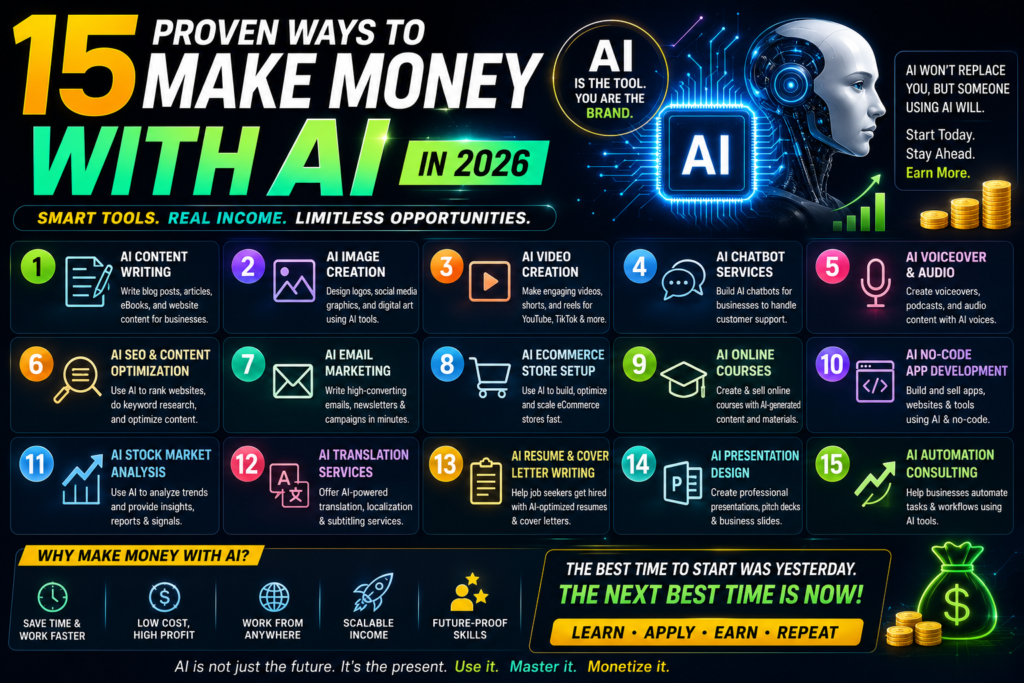
15 Proven Ways to Make Money with AI in 2026

Best Free Android Games in 2026: 25 Must-Play Mobile Games for Every Gamer

Best Free PC Games in 2026: 20 Must-Play Games You Can Download Today

Vivo S2 5G Review: Full Specifications, Expected Price, Features & Should You Buy? (2026)